timeghost Project Board vs. Microsoft Planner
Both apps run in Microsoft Teams. The Project Board adds timeline and Flow to board, list and calendar in the Free plan, plus Home with Portfolio, time tracking and reports from Basic. Permissions down to individual tasks, sub-boards via tabs and the option to run it in your own infrastructure come on top.
Where the Project Board goes further
Timeline and Flow without an extra license, Home with Portfolio, and time tracked right on the task. Plus permissions per task and sub-boards that stay inside one project.
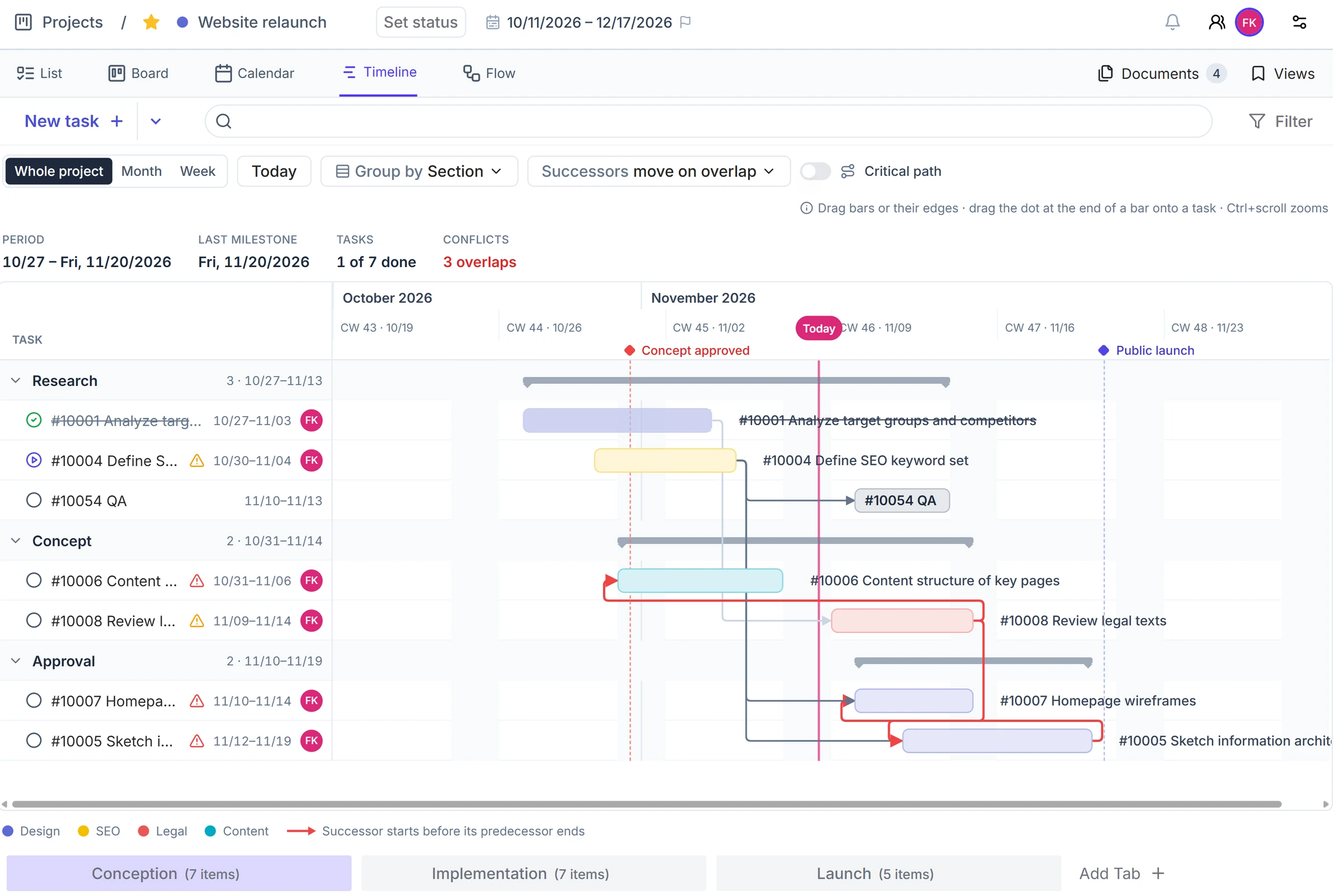
Timeline and Flow in the Free plan
The timeline shows every task as a bar, with milestones and a baseline that keeps the original plan. Flow shows what can start now: one row per milestone, in the order tasks wait on each other. In Planner, the timeline (Gantt) is a premium feature, from Planner Plan 1. There is no view like Flow. Planner has the calendar (Schedule) in basic plans only, and the timeline in premium plans only.
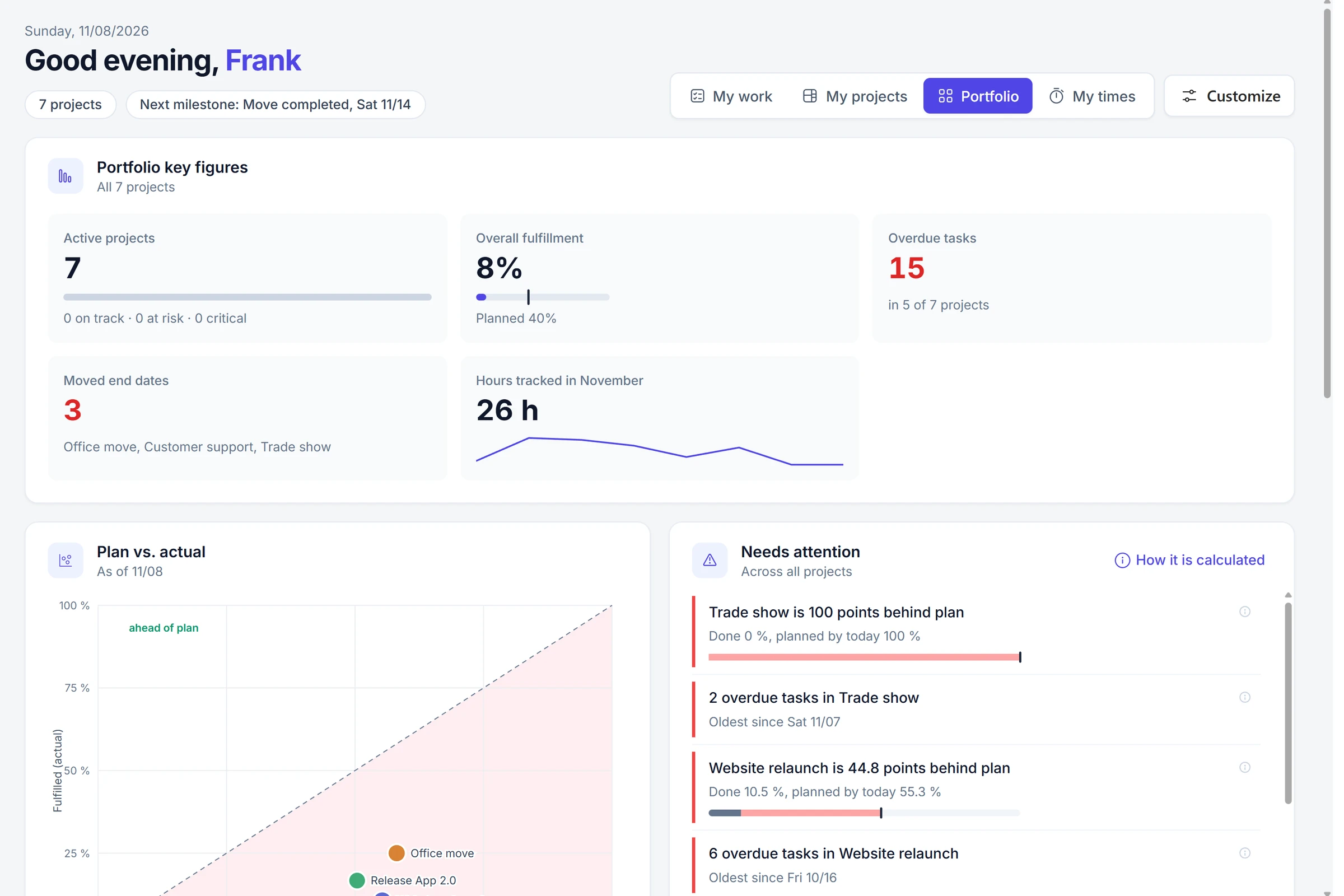
Home with Portfolio, no extra license
After you sign in, Home shows what matters today. Depending on your role, you switch between My work, My projects, Portfolio and My times. Portfolio shows key figures, what needs attention, plan versus actual and a roadmap across the projects in the workspace. Which view you see depends on your role, not on the plan. Planner includes My Day and My Tasks with a Microsoft 365 subscription. You can view portfolios across premium plans from Planner Plan 1 and create them with Planner and Project Plan 3.
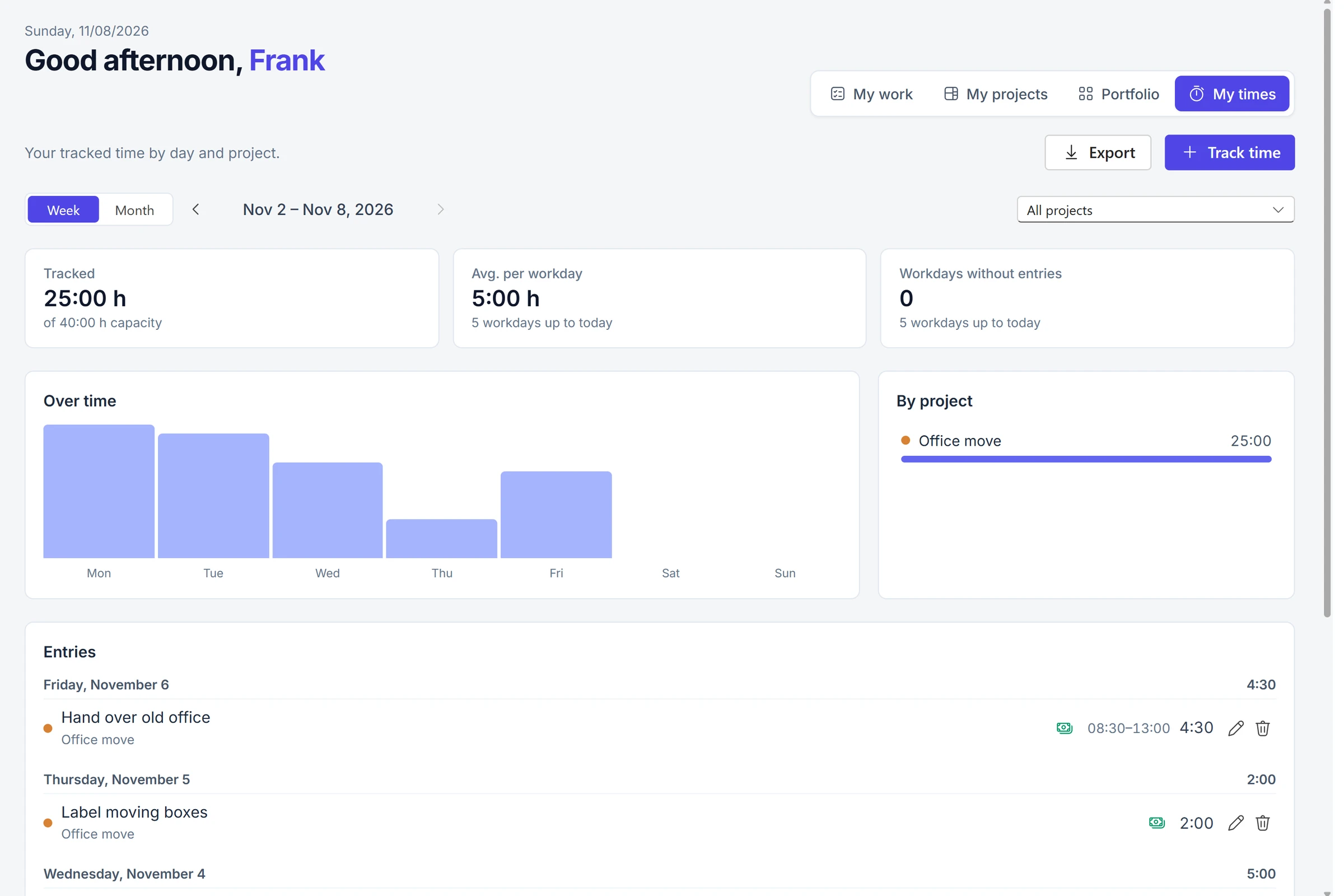
Time on the task, and reports you design yourself
From Basic, you track time right on the task, with a timer or afterwards, and see your week under My times. You build reports from blocks and generate them as PDF or Word. On Premium you send them by email automatically. Premium plans in Planner let you plan effort and duration in hours, but there is no timer on the task. Excel export is available in every plan. Automatic status reports run through Planner Agent and require a Microsoft 365 Copilot license.
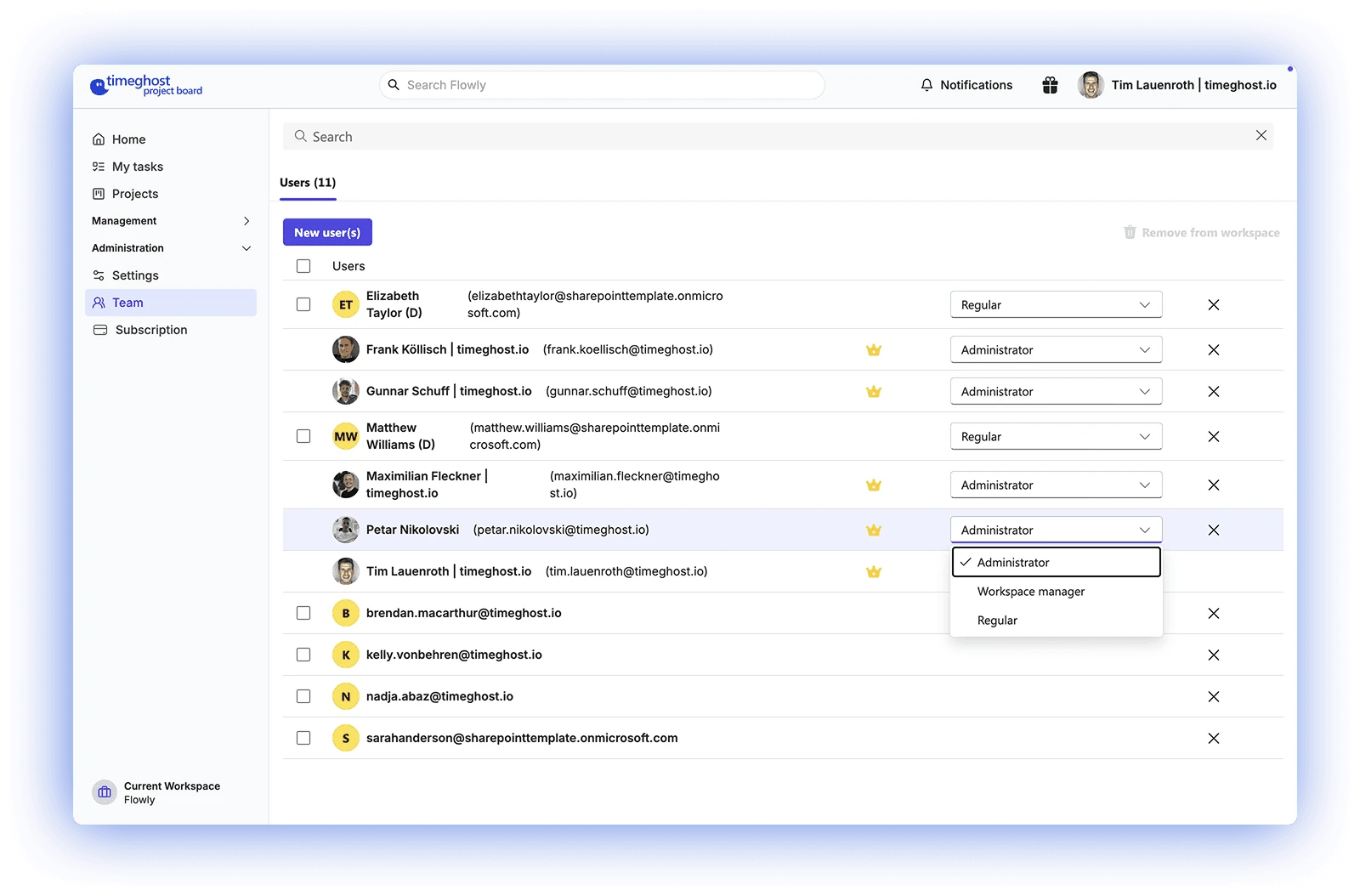
Permissions down to task level
In the Premium plan you decide who manages a board and who can see or edit individual tasks. In Microsoft Planner, access applies to the whole plan: every member can see and edit every task.
Roles per board
Decide who manages a project and who collaborates.
Visibility per task
Hidden tasks stay invisible to selected people.
Editing per task
Separate read and edit rights at task level.
Sub-projects with tabs
Each tab holds its own sub-board with its own tasks, so the project stays in one place. In Planner you organize a plan with buckets and create sub-projects as separate plans. Tabs are included from Basic.
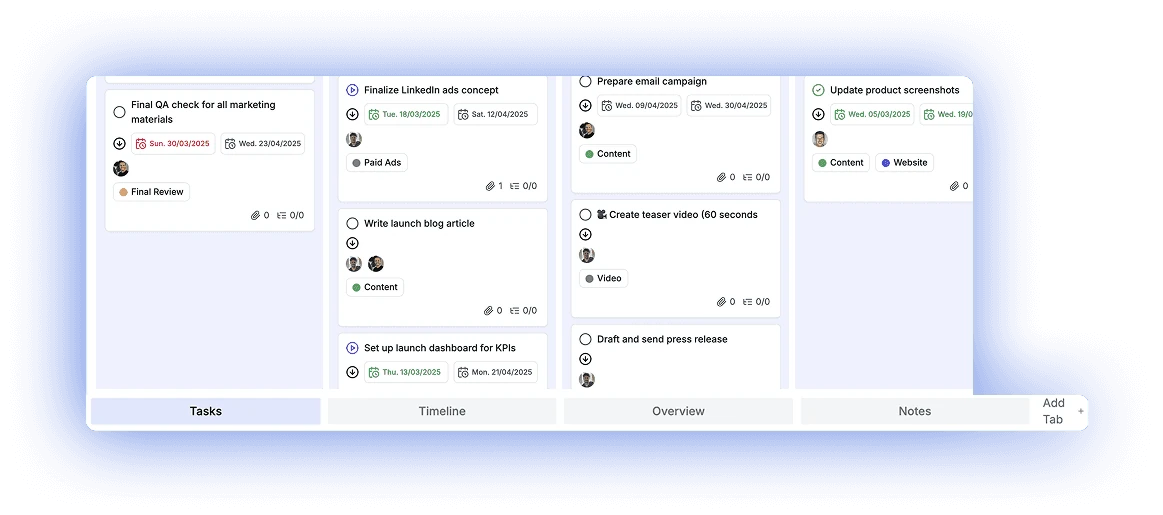
The key differences at a glance
Microsoft Planner features and licensing according to Microsoft documentation; Project Board details according to our pricing and feature overview.
Rights and structure
Permissions
timeghost Project Board
Roles, visibility and editing per task (Premium)
Microsoft Planner
Plan-wide only: every member sees and edits everything
Sub-projects
timeghost Project Board
Tabs with their own sub-boards (from Basic)
Microsoft Planner
Buckets in a plan, sub-projects as separate plans
Plans
Deployment
timeghost Project Board
Azure cloud or on-premise
Microsoft Planner
Cloud service in Microsoft 365 only
Licensing and cost
timeghost Project Board
Free €0, Basic €2.80, Premium €9.60; annually €2.38 or €8.16
Microsoft Planner
Basic often included, premium via Planner Plan 1 or Plan 3/5
Archive and trash
timeghost Project Board
From Basic
Microsoft Planner
Deleted tasks cannot be restored
File uploads
timeghost Project Board
5 MB in Free, 10 MB from Basic, 250 MB in Premium
Microsoft Planner
File attachments on tasks
Documents
timeghost Project Board
Project storage with folders, versions, preview and check-out (from Free)
Microsoft Planner
File attachments on tasks
Task reminders
timeghost Project Board
From Basic
Microsoft Planner
Activity notifications in Teams
Tasks per project
timeghost Project Board
50 in the Free plan, unlimited from Basic
Microsoft Planner
Up to 9,000 (basic) or 3,000 (premium)
Project templates
timeghost Project Board
3 in Free, 10 in Basic, unlimited in Premium
Microsoft Planner
Copy plan, premium templates with Plan 1
Recurring tasks
timeghost Project Board
3 in Free, 10 in Basic, unlimited in Premium
Microsoft Planner
Basic plans only
Planning
Views
timeghost Project Board
Board, list, calendar, timeline and Flow
Microsoft Planner
Grid, Board, Charts and Schedule; timeline in premium only
Timeline
timeghost Project Board
Timeline with milestones and baseline (from Free)
Microsoft Planner
Timeline (Gantt) from Planner Plan 1, baseline with Plan 3 or Plan 5
Flow
timeghost Project Board
What can start now, per milestone (from Free)
Microsoft Planner
No comparable view
Dependencies
timeghost Project Board
Dependent tasks and critical path (from Basic)
Microsoft Planner
Dependencies from Planner Plan 1, critical path with Plan 3 or Plan 5
Time tracking
timeghost Project Board
Timer on the task and My times (from Basic)
Microsoft Planner
Effort and duration in premium, no timer on the task
Reports
timeghost Project Board
Status reports as PDF and Word (from Basic), scheduled delivery by email (Premium)
Microsoft Planner
Excel export; status reports through Planner Agent with Microsoft 365 Copilot
Collaboration
Overview
timeghost Project Board
Home with My work, My projects, Portfolio and My times
Microsoft Planner
My Day and My Tasks; view portfolios from Plan 1, create them with Plan 3
Comments
timeghost Project Board
Mentions and timestamps on the task
Microsoft Planner
Conversations, in premium only in a Teams channel
Notifications
timeghost Project Board
In Teams or by email
Microsoft Planner
Activity notifications in Teams
Change history
timeghost Project Board
Activity logs (from Basic)
Microsoft Planner
Task history in premium only
Integrations
timeghost Project Board
API and webhooks (Premium)
Microsoft Planner
Planner API in Microsoft Graph
Basics
Board view
timeghost Project Board
Yes
Microsoft Planner
Yes
List view
timeghost Project Board
Yes
Microsoft Planner
Yes (Grid view)
Calendar
timeghost Project Board
Month, week and day
Microsoft Planner
Schedule, basic plans only
Subtasks
timeghost Project Board
Yes
Microsoft Planner
Checklists in basic, subtasks with Plan 1
Sign-in
timeghost Project Board
Microsoft 365 account with Entra ID
Microsoft Planner
Microsoft 365 account
Usage
timeghost Project Board
Teams, mobile in the Teams app and in the browser
Microsoft Planner
Teams, web and mobile
As of November 9, 2026. Sources for Microsoft Planner: Microsoft Learn, Microsoft Planner for admins; Microsoft Support, Compare Microsoft Planner basic vs. premium plans, Advanced capabilities with premium plans in Planner, Manage multiple plans with portfolios and Delete a task or plan; Microsoft Planner pricing page. Microsoft may change features and licensing at any time. Project Board prices per user per month, excl. VAT.
Project Board is the better choice if ...
you want timeline and Flow without an extra license, track time on the task, or need rights per task, sub-projects inside one project and operation in your own infrastructure. The price per user is fixed.
Microsoft Planner is enough if ...
every member may see every task, board, list and calendar are sufficient, and cloud operation in Microsoft 365 is a given. Timeline, dependencies and portfolios require a premium license there.
FAQ about the comparison
What is a good alternative to Microsoft Planner in Teams?
An alternative makes sense when Planner falls short in a specific area: when you need a timeline or dependencies without a premium license, when you want to track time on the task, when individual tasks should not be visible to every member, when sub-projects should stay inside one project, or when you want to run the app in your own infrastructure. Like Planner, the timeghost Project Board runs directly in Microsoft Teams. Timeline, Flow and project storage are in the Free plan, time tracking, reports and tabs from Basic, and hidden tasks in the Premium plan. If every member may see every task and simple lists are enough, Planner is often sufficient.
Which version 1.20 features does Planner lack or lock behind an extra license?
Timeline and Flow are in the Project Board Free plan. In Planner, the timeline (Gantt) is a premium feature from Planner Plan 1, and there is no view like Flow. Dependent tasks are included in the Project Board from Basic. In Planner, dependencies belong to premium plans, and according to the Microsoft pricing page the baseline and critical path belong to Planner and Project Plan 3 or Plan 5. From Basic, the Project Board tracks time right on the task, with a timer or afterwards. Planner has no timer on the task. Reports as PDF or Word are included from Basic, scheduled delivery by email in Premium. Planner exports to Excel, and automatic status reports run through Planner Agent and require Microsoft 365 Copilot. Home with My work, My projects, Portfolio and My times depends on your role, not on an extra license. In Planner you view portfolios across premium plans from Plan 1 and create them with Plan 3.
How do I switch from Microsoft Planner to the Project Board?
With the import wizard in the timeghost Project Board. You start it in a project via Settings and Import cards, choose Microsoft Planner as the source and then select the plan. Next you map columns as well as people, statuses, priorities and labels, and decide how existing tasks are handled. Every import is saved as a batch and can be deleted in one step. The help article Import, archive and trash describes the steps in detail.
Is Microsoft Planner free?
Basic plans are included in many Microsoft 365 subscriptions at no extra cost, according to Microsoft for example in Business Basic, Business Standard and Office 365 E1, E3 and E5. Premium plans with timeline (Gantt), dependencies, sprints and goals require a paid license: Planner Plan 1 or Planner and Project Plan 3/5.
What is the difference between basic and premium plans in Planner?
According to Microsoft, basic plans offer Grid, Board, Charts and Schedule views, filtering and grouping, comments and Excel export. Premium plans add timeline (Gantt), People view, dependencies, milestones, custom fields, sprints, goals and task history, among others. Schedule view and Outlook calendar display are available in basic plans only. According to the Microsoft pricing page, baseline, critical path and creating portfolios are part of Planner and Project Plan 3 or Plan 5.
Which features require an additional license in Planner?
According to Microsoft, timeline, dependencies, subtasks and task history require a premium license in Planner. In the Project Board, timeline and Flow are in the Free plan, subtasks are part of task management, and time tracking, reports as PDF or Word and activity logs are in the Basic plan at €2.80 per user per month, excl. VAT. Project templates are included in the Free plan: 3 templates, 10 in Basic, unlimited in Premium.
Can I hide individual tasks from other members in Planner?
No. According to Microsoft, access applies per plan through the Microsoft 365 group: every member can see and edit every task. In the Project Board, the Premium plan controls this with hidden tasks, roles and edit rights per task.
How do I model sub-projects?
In the Project Board, each tab from the Basic plan holds its own sub-board, so the project stays together. In Planner you create sub-projects as separate plans and organize a plan with buckets.
Can I run the Project Board without the cloud?
Yes. For companies with their own IT infrastructure, the Project Board is available as an on-premise solution. Requirements and terms are on the on-premise page. Microsoft Planner is part of Microsoft 365 and is provided as a cloud service only.
Can we use Project Board and Planner side by side?
Yes. Both are independent apps in Microsoft Teams. You can try the Project Board for free with the Free plan alongside Planner, including timeline, Flow and Home.
Try the Project Board alongside Planner
Free plan right in Microsoft Teams. Timeline and Flow in the Free plan, time tracking and reports from Basic.
Start for free