Manage IT projects securely, structured and transparently in Microsoft Teams
Whether system migration, rollout or internal tooling: manage your IT projects centrally in Microsoft Teams.
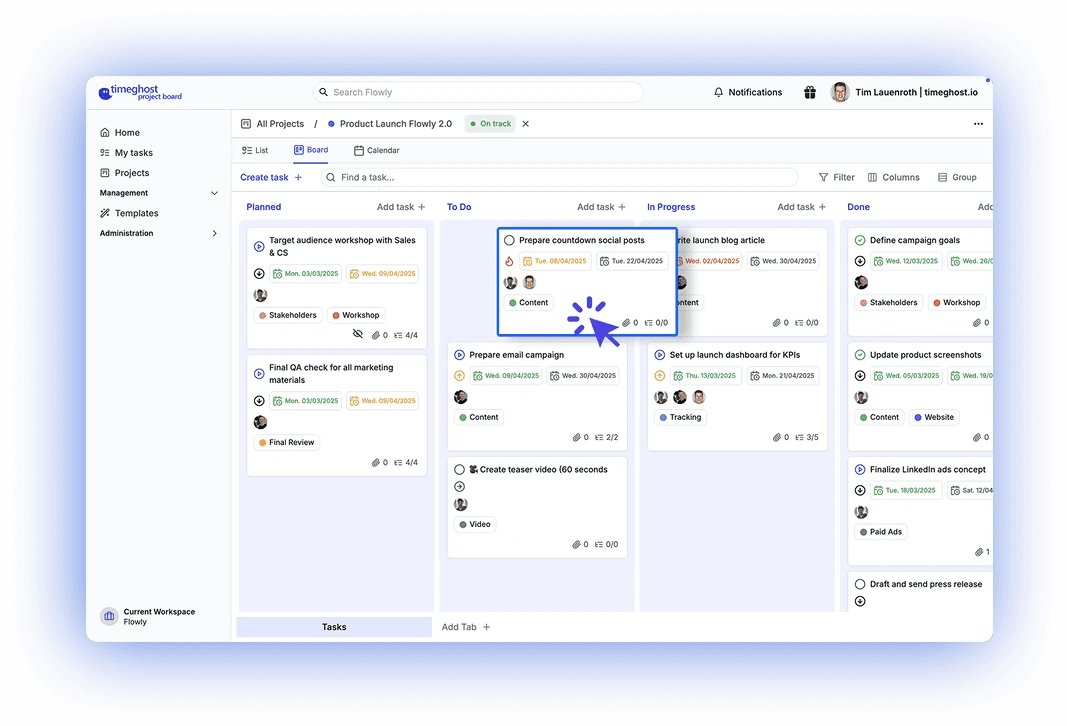
Full control over your IT projects
Stay on top of change requests, maintenance and rollouts with a central board that adapts to your IT landscape.
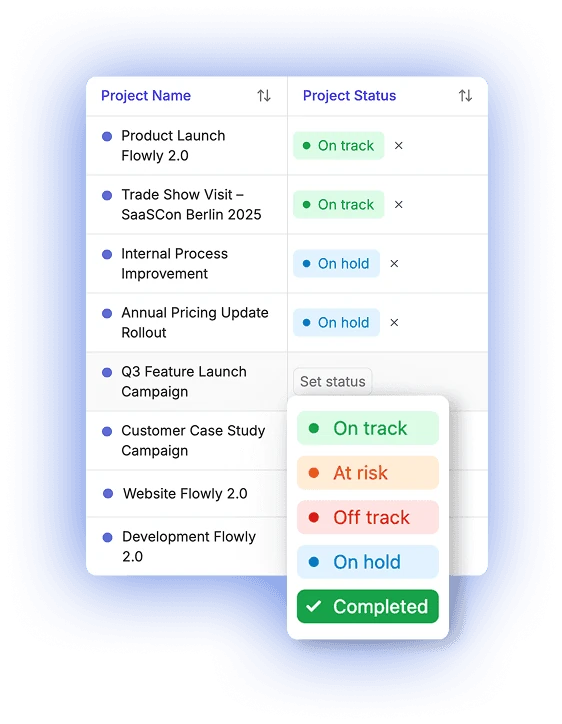
Project status at a glance
See at any time which projects are on track, critical or paused. Step in early, plan resources and report transparently to stakeholders.
Manage IT projects in Kanban boards
Tasks, priorities and status changes in clearly structured columns. Suited for sprint planning, change requests or internal IT initiatives.
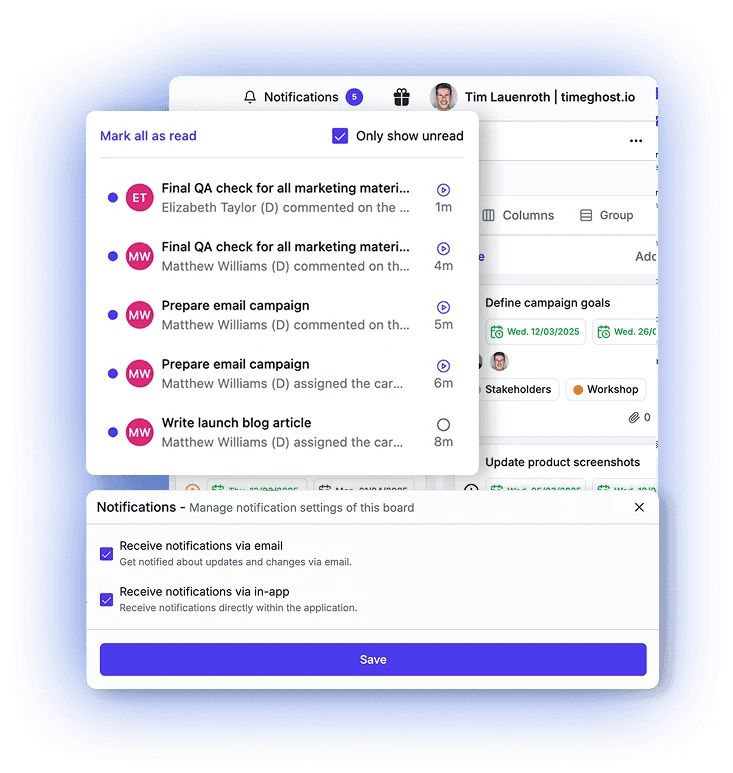
All project activity and comments in one place
Track changes, feedback, and status updates in real time, without data loss. Ideal for technical coordination, clear traceability, and seamless IT documentation in daily operations.
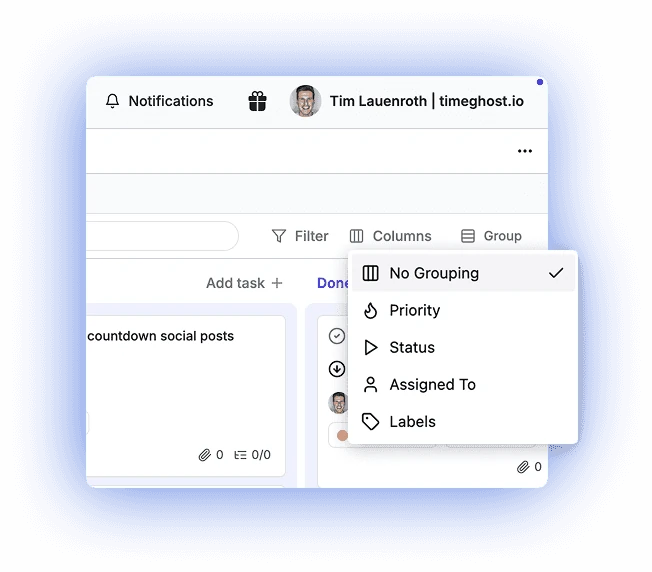
Group project tasks flexibly
Sort tasks by priority, status, assignee or label. It becomes clear immediately which topics are critical, who is responsible and how progress looks.
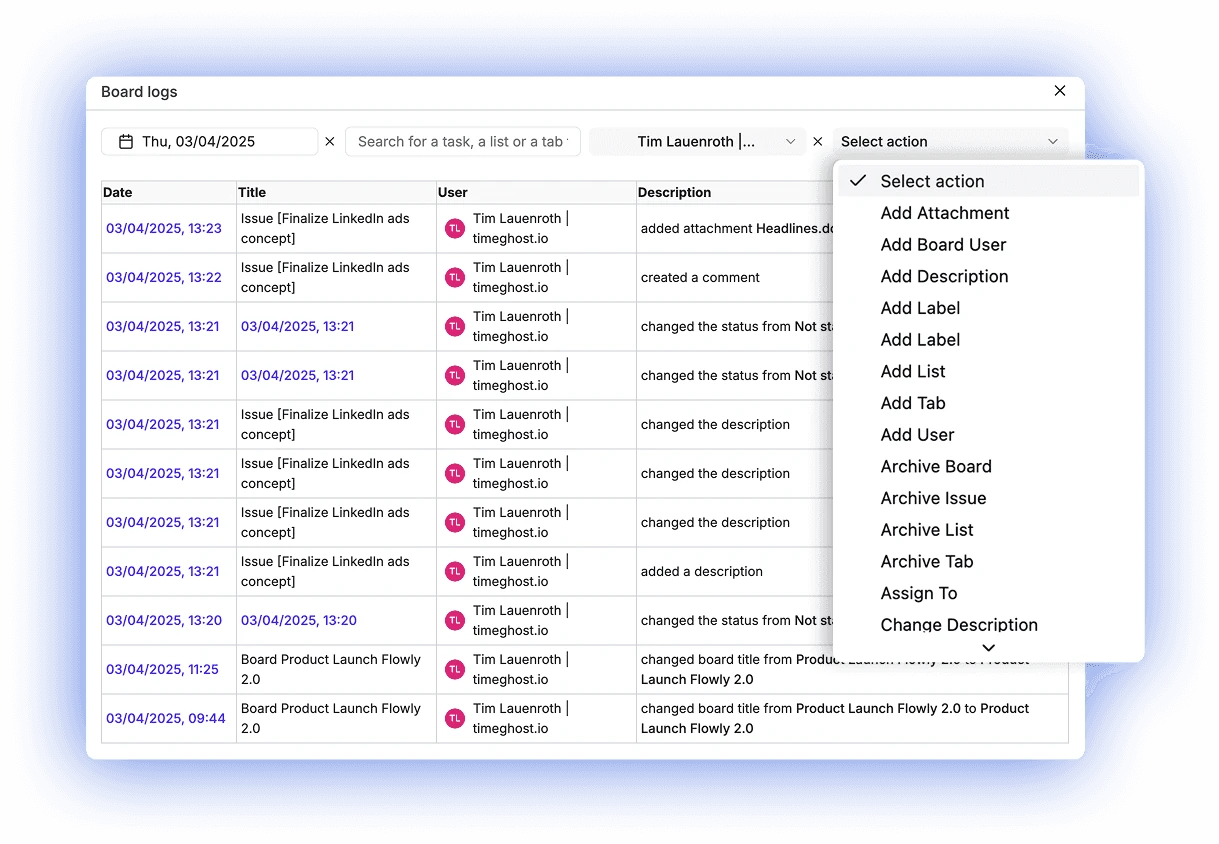
Trace every action in the project history
Activity logs (Logs) show who changed what and when, from status changes to comment updates. They are included from the Basic plan.
Seamless in Microsoft Teams
Manage IT projects directly in Microsoft Teams, without an additional platform.
Adaptable structures
Change requests, maintenance or tickets: map whatever your team needs.
Documentation in one place
Updates, responsibilities and status changes are documented centrally.
How IT teams use the Project Board
Clear responsibilities and central documentation keep rollouts, maintenance and internal system projects running smoothly.
Plan and run rollouts
Plan software rollouts with tasks, owners and deadlines, so tests, training and handovers run in a structured way.
Map change management
Track change requests as tasks with status, priority and comment history.
Standardize internal IT projects
Save recurring initiatives as a project template and start them again with one click.
Cloud or on-premise
Hosted on Microsoft Azure in the Germany West Central region (Frankfurt), ISO 27001-konform and GDPR-compliant, or as an on-premise solution in your own infrastructure.
FAQ for IT teams
Can I trace who changed what?
Yes. Activity logs (Logs) in the timeghost Project Board show who changed what and when, from status changes to comment updates. They are included from the Basic plan (€2.80 per user per month, excl. VAT).
Can I control who sees which tasks?
Yes. The Premium plan includes advanced permissions, role management and hidden tasks that define who can see which tasks.
Which roles and permissions does the Project Board have?
Every person has a role in the workspace: administrators manage settings, team, subscription and projects, managers have full access to all projects and templates, and members join projects. Each project also has the roles owner, member, observer (read only) and restricted access (own tasks only). In the project settings you decide what members may do in a project, for example create tasks or assign them to others. Advanced permissions and role management as well as hidden tasks are part of the Premium plan.
Can I restore deleted tasks?
Yes, from the Basic plan. Deleted tasks stay in the trash of the timeghost Project Board for 30 days and can be restored during that time. Completed or outdated content can be archived instead: it disappears from the views but is kept.
Which project management tool for Microsoft Teams stores data in Germany in line with the GDPR?
Look at where project data is stored, ISO 27001 compliance, encrypted transfer and regular backups. In the timeghost Project Board, project data is stored on Microsoft Azure in the Germany West Central region (Frankfurt). It is ISO 27001 compliant and GDPR compliant, all communication runs over HTTPS, and backups are created at least twice a day on redundant servers. The privacy policy lists which service providers also process data outside the EU. If you want to run everything in your own data center, the Project Board is also available on-premise.
Can we run the Project Board in our own infrastructure?
Yes, as an on-premise solution for companies with their own IT infrastructure. We discuss requirements and terms on request.
Bring your IT projects together in Microsoft Teams
Start for free or ask about on-premise operation.
Start for free now