Marketing projects perfectly organized, directly in Microsoft Teams
With the timeghost Project Board, you centrally manage your marketing visually and collaboratively in Microsoft Teams.
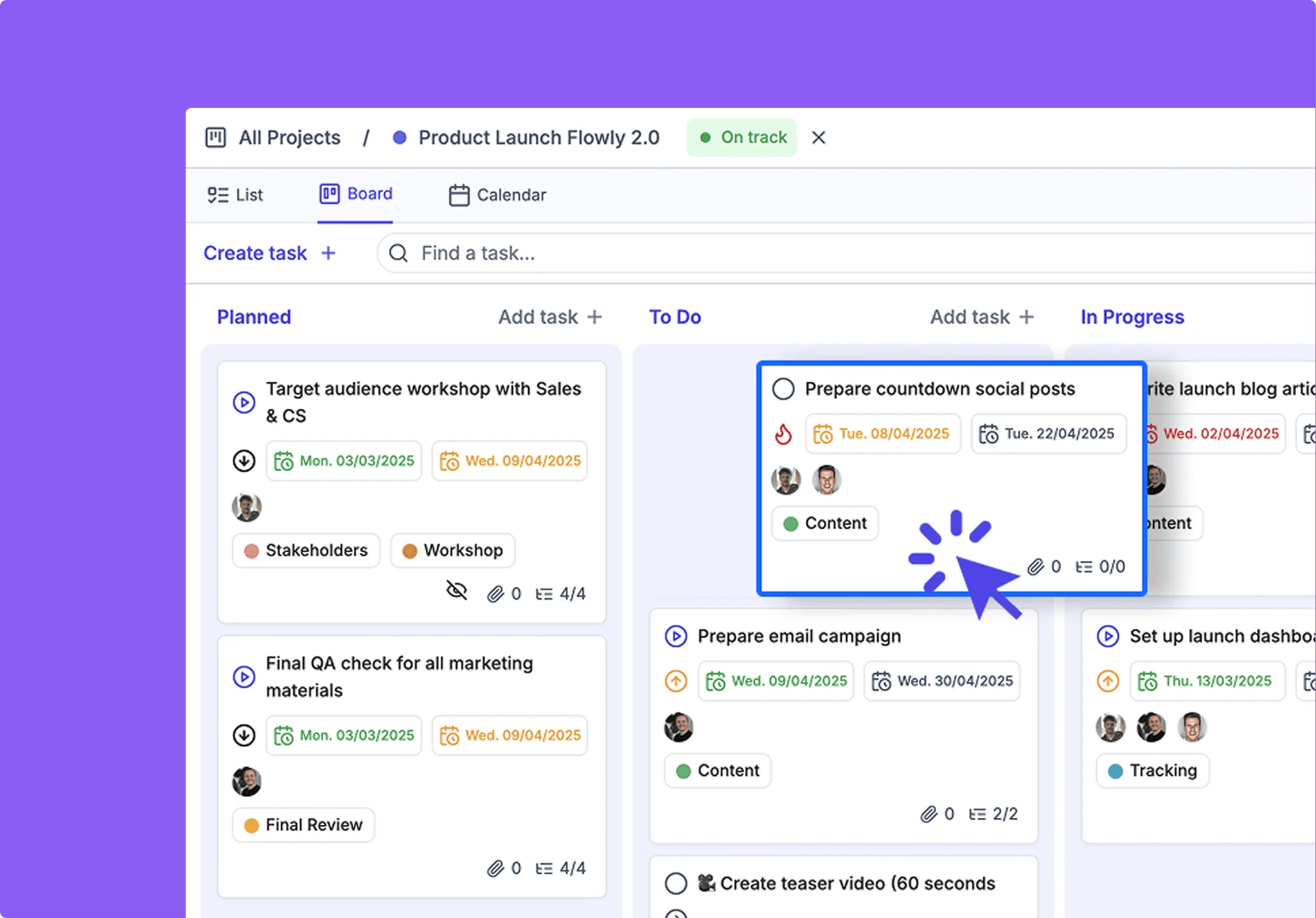
Finally, order in the campaign chaos
With the timeghost Project Board, you can structure and represent your entire marketing planning in a team-oriented way. Editorial planning, task management, and approvals are handled centrally and transparently.
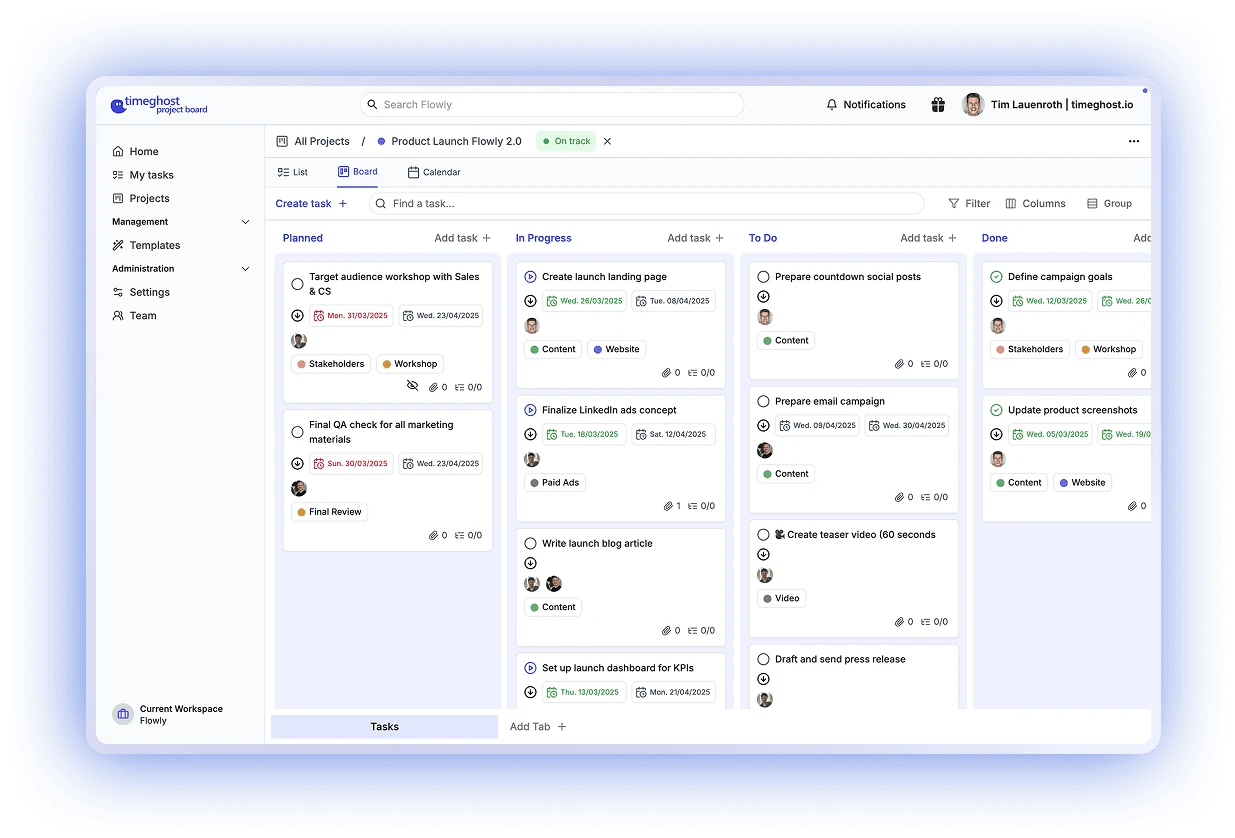
Visualize campaigns in the Kanban board
Manage your campaigns, content, and deadlines in clear workflows, from the idea phase to publication. With the visual Kanban board, you can always see which tasks are currently in progress, who is responsible, and what is coming up next.
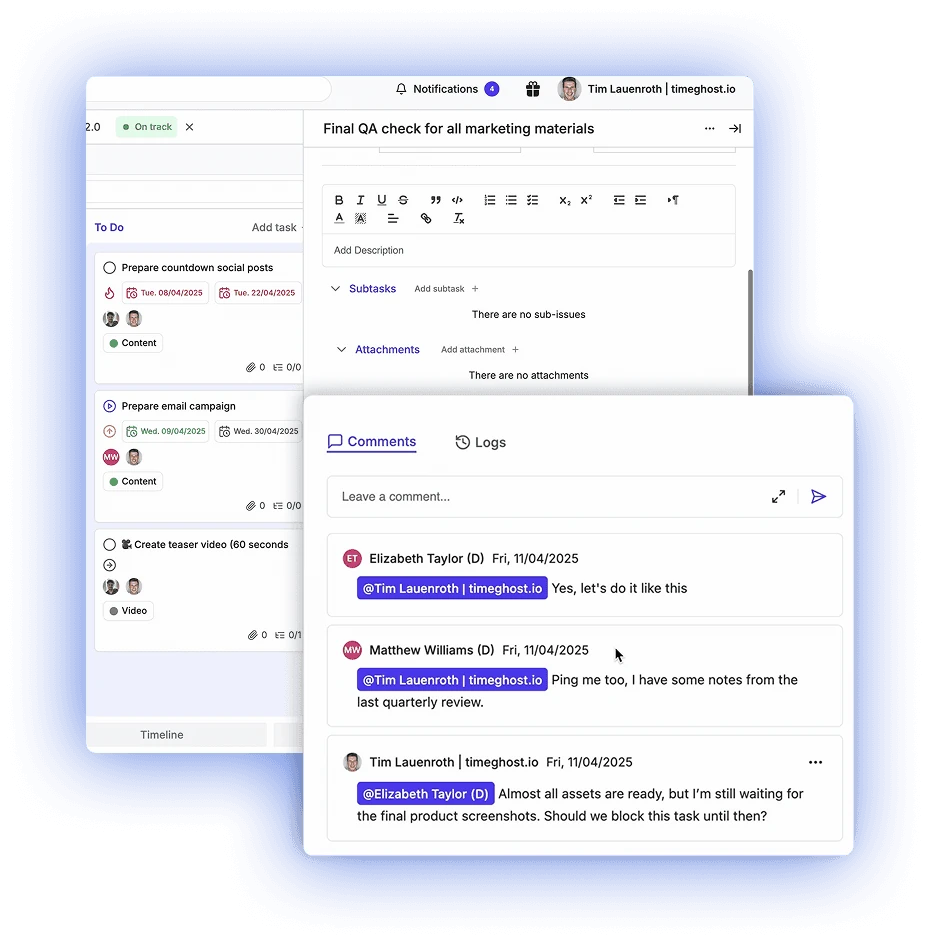
Use comments right inside tasks
Give approvals, share feedback, and clarify questions exactly where they belong, in the task itself. This way, everything remains centrally documented, traceable, and directly accessible in the campaign context. Ideal for quick decisions within the team.
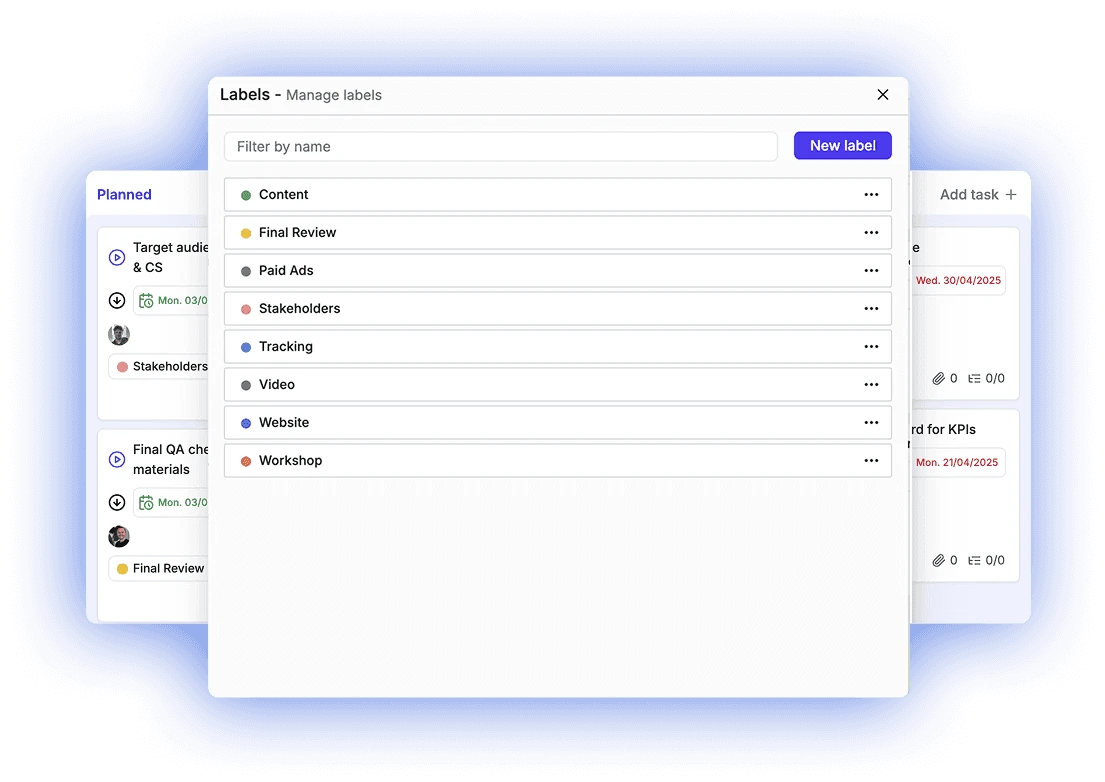
Steer campaigns with custom labels
With colored labels, you can structure your marketing tasks by themes, target groups, or channels. This allows you to see at a glance what it is about, whether paid ads, blog, SEO, or event planning.
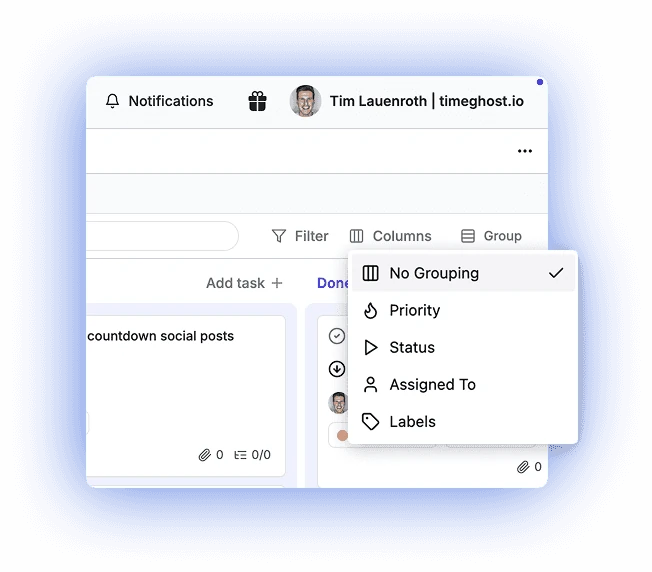
Group campaign tasks smartly
Organize your to-dos by status, responsible parties, or labels to quickly keep an overview of ongoing marketing activities. This way, you can identify bottlenecks early and manage them purposefully.
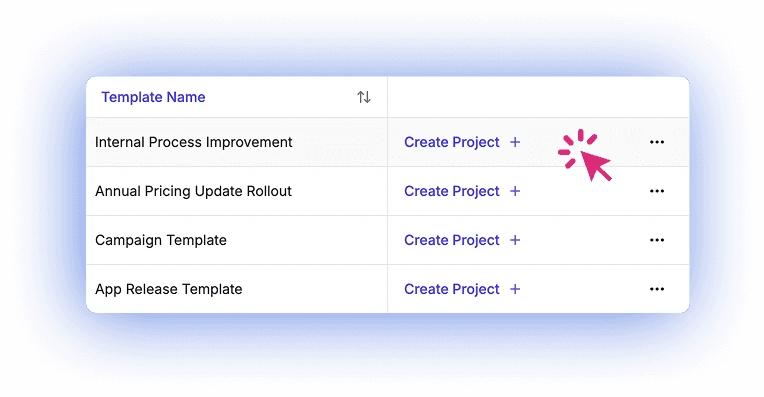
Reusable templates for your projects
Create new projects in seconds from proven templates, for product launches, social media planning or event marketing. More time for creative work.
Track campaigns centrally
Plan, visualize and optimize campaigns in one place, aligned with approval processes and external deadlines.
Collaborate with agencies and teams
Agencies, copywriters and internal stakeholders work together in one tool, including task history and comments.
Status and due dates in view
Deadlines and progress are visible immediately, instead of scattered across emails and calendars.
How your marketing team uses the Project Board
From editorial plan to go-live, marketing teams coordinate tasks, alignment and deadlines in one place.
Plan and roll out product campaigns
Organize work packages, owners and deadlines in a campaign board and follow progress and milestones.
Plan publications
Schedule content with start and due dates and review it in the calendar view.
Prepare events with clear deadlines
Tasks, subtasks and owners for each event, visible to everyone involved.
Security according to ISO 27001
ISO 27001-konform, hosted on Microsoft Azure in the Germany West Central region (Frankfurt) and GDPR-compliant.
FAQ for marketing teams
Can I use the timeghost Project Board for free in my team?
Yes. The Free plan includes unlimited projects and team members, up to 50 tasks per project, 3 reusable templates, notifications, comments and up to 3 recurring tasks. More templates, project tabs and reminders come with Basic at €2.80 per user per month, excl. VAT.
Can external agencies collaborate?
Agencies, copywriters and internal stakeholders can work together in the Project Board, including task history and comments. For external contributors, the "Restricted access" project role is a good fit: these people can only see and edit the tasks assigned to them. Our sales team answers questions about access for external people.
How do I map channels like paid ads, blog or SEO?
With color-coded labels. You can then group and filter tasks by label to see the status of each channel.
Plan your next campaign in the Project Board
Free plan with unlimited projects and team members.
Start for free now